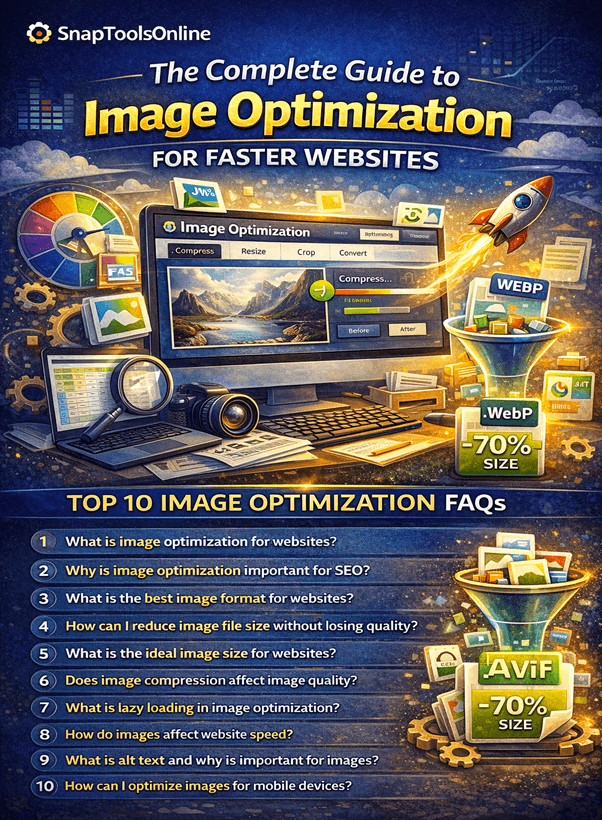
The Complete Guide to Image Optimization for Faster Websites in 2026
The Complete Guide to Image Optimization for Faster Websites in 2026
The Complete Guide to Image Optimization for Faster Websites in 2026
Website speed has become one of the most important factors for user experience and search engine rankings. One of the biggest reasons websites load slowly is unoptimized images. Large image files increase page load time, reduce performance, and negatively impact SEO.
Image optimization is the process of reducing image file sizes while maintaining visual quality so that websites load faster and perform better on search engines. Whether you are a blogger, web developer, digital marketer, or business owner, learning how to optimize images can significantly improve your website’s performance.
In this complete guide, you will learn what image optimization is, why it matters for SEO, best optimization techniques, and how to properly prepare images for modern websites.
What Is Image Optimization?
Image optimization refers to the process of reducing the file size of images without significantly affecting their visual quality. Optimized images load faster, use less bandwidth, and improve the overall performance of a website.
This process involves several techniques such as:
- Compressing image files
- Choosing the correct image format
- Resizing images for different devices
- Removing unnecessary metadata
- Using responsive image techniques
When done correctly, optimized images can dramatically improve both user experience and search engine rankings.
Why Image Optimization Is Important for SEO
Search engines like Google consider page speed and user experience as important ranking factors. Large image files slow down websites and negatively affect search visibility.
Here are the major benefits of optimizing images for websites:
1. Faster Website Loading Speed
Large images can significantly increase page loading time. Optimized images reduce file sizes and allow pages to load faster, which improves user experience.
2. Improved Search Engine Rankings
Google prioritizes fast websites in search results. Properly optimized images help reduce page load time and improve SEO performance.
3. Better Mobile Performance
More than half of global web traffic comes from mobile devices. Image optimization ensures your website loads quickly even on slower mobile networks.
4. Lower Bandwidth Usage
Optimized images consume less bandwidth, which reduces hosting costs and improves performance for users with limited internet speeds.
5. Higher Conversion Rates
Faster websites keep users engaged. Studies show that even a one-second delay in page load time can reduce conversions significantly.
Common Image Optimization Mistakes to Avoid
Many website owners unknowingly upload images without optimizing them first. This can slow down the website and reduce SEO performance.
Here are some common mistakes:
- Uploading high-resolution images directly from cameras
- Using incorrect file formats
- Not compressing images
- Ignoring responsive image sizes
- Forgetting to use descriptive alt text
Avoiding these mistakes can significantly improve website performance.
Best Image Formats for Websites
Choosing the correct image format plays a major role in optimization.
JPEG (JPG)
JPEG is one of the most widely used formats for photographs and complex images. It offers good compression while maintaining acceptable visual quality.
Best used for:
- Blog images
- Photographs
- Website banners
PNG
PNG images provide high quality and support transparent backgrounds. However, they typically have larger file sizes.
Best used for:
- Logos
- Icons
- Graphics with transparency
WebP
WebP is a modern image format developed by Google that provides significantly smaller file sizes compared to JPEG and PNG.
Benefits of WebP include:
- Better compression
- Smaller file sizes
- High image quality
- Faster loading speed
Many modern websites are now switching to WebP to improve performance.
How to Compress Images Without Losing Quality
Image compression reduces file sizes while preserving visual quality.
There are two main types of compression:
Lossy Compression
Lossy compression removes unnecessary image data to reduce file size. While this may slightly reduce quality, the difference is often unnoticeable.
Lossless Compression
Lossless compression reduces file size without removing image data. This maintains original quality but results in slightly larger file sizes compared to lossy compression.
For most websites, a balanced approach between the two methods works best.
Resize Images Before Uploading
Uploading oversized images is one of the most common performance issues.
For example, if your blog layout displays images at 800px width, uploading a 4000px image wastes bandwidth and slows down the page.
Before uploading images, resize them to match the maximum display size required by your website.
Recommended image widths:
- Blog images: 800–1200px
- Featured images: 1200–1600px
- Thumbnails: 150–300px
Use Responsive Images
Responsive images allow websites to serve different image sizes depending on the user’s device.
For example:
- Smaller images for mobile devices
- Medium images for tablets
- High-resolution images for desktop screens
This technique significantly improves mobile page speed and user experience.
Modern web development uses the srcset attribute to deliver responsive images efficiently.
Optimize Image Metadata
Many images contain hidden metadata such as camera information, location data, and editing history. While useful for photographers, this data is unnecessary for websites and increases file size.
Removing metadata can reduce image file sizes without affecting visual quality.
Use Proper Image Naming for SEO
Image filenames play a role in search engine optimization.
Instead of uploading images with generic names like:
IMG_1234.jpg
Use descriptive filenames such as:
image-optimization-guide.jpg
This helps search engines understand the image content and improves visibility in Google Image Search.
Write Descriptive Alt Text
Alt text (alternative text) describes images for search engines and screen readers.
Benefits of alt text include:
- Improved accessibility
- Better image search rankings
- Enhanced SEO signals
Example of good alt text:
“Optimized website images improving page speed and SEO performance.”
Avoid keyword stuffing and keep descriptions natural and relevant.
Enable Lazy Loading
Lazy loading delays image loading until the user scrolls to that part of the page.
Benefits include:
- Faster initial page load
- Reduced bandwidth usage
- Improved user experience
Modern browsers support lazy loading through simple attributes, making implementation easier for developers.
Image Optimization for E-Commerce Websites
E-commerce websites often contain hundreds or thousands of product images. Without optimization, these images can severely impact performance.
Best practices include:
- Compressing product images
- Using WebP format
- Creating multiple responsive sizes
- Using content delivery networks (CDNs)
Optimized product images improve shopping experience and conversion rates.
Image Optimization and Core Web Vitals
Google introduced Core Web Vitals as key performance metrics that measure user experience.
Images play a significant role in these metrics, especially:
Largest Contentful Paint (LCP): Measures how quickly the largest element (often an image) loads.
Optimized images help improve LCP scores and contribute to better SEO rankings.
Advanced Image Optimization Techniques
Professional websites often use advanced optimization strategies:
Content Delivery Networks (CDN)
CDNs distribute images across multiple servers worldwide, reducing loading times for global users.
Next-Generation Image Formats
Formats like WebP and AVIF offer superior compression and performance.
Automated Image Optimization
Modern platforms automatically optimize images when they are uploaded.
These technologies help large websites maintain optimal performance.
Image Optimization Best Practices Summary
To optimize images effectively, follow these guidelines:
- Choose the correct image format
- Compress images before uploading
- Resize images to appropriate dimensions
- Remove unnecessary metadata
- Use descriptive filenames and alt text
- Implement responsive images
- Enable lazy loading
- Consider modern formats like WebP
Following these practices will significantly improve website speed and SEO performance.
Conclusion
Image optimization is one of the most effective ways to improve website performance, search engine rankings, and user experience. By compressing images, selecting the right formats, resizing files correctly, and using modern optimization techniques, website owners can dramatically reduce loading times and improve overall efficiency.
For those looking for a fast and reliable solution, SnapToolsOnline provides a powerful Image Studio that allows users to compress, resize, crop, and convert images instantly in a secure and user-friendly environment. With its all-in-one set of online tools, SnapToolsOnline helps bloggers, developers, and businesses optimize their digital workflows and maintain high-performing websites without complicated software or technical expertise.
Frequently Asked Questions
1. What is image optimization for websites?
Image optimization is the process of reducing image file sizes while maintaining visual quality so that webpages load faster. It involves compressing images, choosing the correct file format, resizing dimensions, and adding SEO-friendly metadata to improve website performance and search engine rankings.
2. Why is image optimization important for SEO?
Image optimization improves website loading speed, which is a key ranking factor for search engines. Faster websites provide a better user experience, reduce bounce rates, and increase the chances of ranking higher in search results.
3. What is the best image format for websites?
The most commonly used image formats for websites include JPEG for photographs, PNG for graphics with transparency, and WebP for modern high-compression images. WebP is often recommended because it provides smaller file sizes while maintaining high quality.
4. How can I reduce image file size without losing quality?
You can reduce image file size by compressing images, resizing them to the correct dimensions, removing unnecessary metadata, and using modern formats like WebP. Image compression tools can help maintain quality while significantly lowering file size.
5. What is the ideal image size for websites?
The ideal image size depends on the layout of the website, but most blog images range between 800px and 1200px in width. Larger images should be resized before uploading to avoid slowing down the website.
6. Does image compression affect image quality?
Image compression can slightly reduce quality depending on the compression method. However, modern compression tools are designed to minimize visible quality loss while significantly reducing file sizes.
7. What is lazy loading in image optimization?
Lazy loading is a technique that delays loading images until they are visible on the user’s screen. This improves initial page loading speed and reduces unnecessary bandwidth usage.
8. How do images affect website speed?
Large image files increase page size and require more time to download, which slows down website loading speed. Optimized images reduce file sizes and allow pages to load faster, improving overall website performance.
9. What is alt text and why is it important for images?
Alt text (alternative text) describes the content of an image for search engines and accessibility tools. It helps visually impaired users understand the image and also improves SEO by giving search engines context about the image.
10. How can I optimize images for mobile devices?
To optimize images for mobile devices, use responsive images, compress files, reduce dimensions, and implement lazy loading. These techniques ensure that images load quickly even on slower mobile networks.