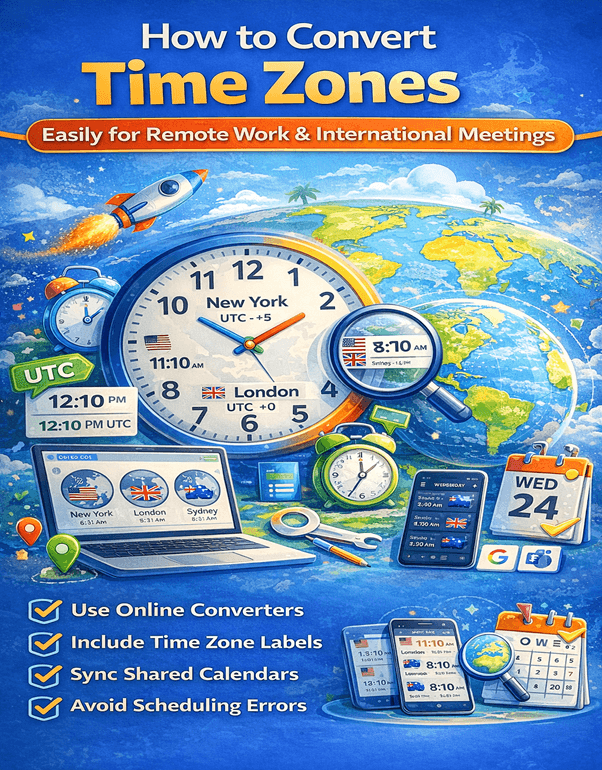
How to Convert Time Zones Easily for Remote Work and International Meetings?
A Guide for Remote Work and International Collaboration
How to Convert Time Zones Easily for Remote Work and International Meetings?
In today’s digital world, remote work and international collaboration have become more common than ever. Teams often work across multiple countries, making time zone conversion an essential skill for productivity and smooth communication.
Whether you are scheduling a meeting with colleagues overseas or coordinating a project with global clients, understanding how to convert time zones accurately can save time, avoid confusion, and prevent missed meetings.
Organizations worldwide rely on reliable time zone conversion tools and standards to coordinate schedules. Systems such as the Coordinated Universal Time serve as the primary reference for time calculations across the globe.
What Are Time Zones?
A time zone is a region of the world that follows a uniform standard time for legal, commercial, and social purposes. Time zones exist because the Earth rotates, causing different parts of the world to experience daylight and darkness at different times.
The global time system is based on the prime meridian located in Greenwich. From this point, the world is divided into 24 main time zones.
The time reference used internationally is called Coordinated Universal Time (UTC). Each region’s time is calculated by adding or subtracting hours from UTC.
For example:
- New York operates on UTC−5
- London operates on UTC±0
- Tokyo operates on UTC+9
This global standard ensures consistent time measurement worldwide.
Why Time Zone Conversion Is Important for Remote Work
Remote teams often work across continents. Without proper time conversion, scheduling errors can easily occur.
Prevent Missed Meetings
Incorrect time conversions can lead to missed meetings, delayed communication, and lost productivity.
Improve Global Collaboration
Accurate time coordination ensures that team members across different regions can collaborate effectively.
Maintain Professionalism
Showing up at the right time for meetings demonstrates reliability and professionalism, especially in international business settings.
Increase Productivity
Clear scheduling helps remote workers maintain structured workdays without unnecessary disruptions.
Understanding UTC and Time Offsets
Time zone conversions rely heavily on understanding UTC offsets.
UTC represents the baseline global time standard, and each time zone is calculated relative to it.
For example:
- UTC +5 means five hours ahead of UTC
- UTC −3 means three hours behind UTC
If it is 12:00 UTC, then:
- UTC +5 would be 17:00
- UTC −3 would be 09:00
Knowing how offsets work makes manual time zone conversions easier.
How to Convert Time Zones Manually
Although digital tools make time conversion easy, understanding the manual method helps avoid confusion.
Step 1: Identify the Base Time
Start with the time in the original location.
Example:
Meeting time = 3:00 PM in London
Step 2: Determine UTC Offset
London operates at UTC+0.
Now identify the target location.
Example:
New York operates at UTC−5.
Step 3: Calculate the Difference
London (UTC+0) to New York (UTC−5) = 5 hours difference.
Step 4: Adjust the Time
3:00 PM in London becomes 10:00 AM in New York.
This basic calculation method works for most conversions.
The Impact of Daylight Saving Time
Time conversions become more complicated due to Daylight Saving Time (DST).
DST shifts clocks forward or backward during certain months to make better use of daylight.
For example, countries like the United States and the United Kingdom adjust their clocks annually.
This can temporarily change the time difference between regions.
For example:
London and New York normally have a 5-hour difference, but during certain periods the difference becomes 4 hours due to DST changes.
Because of this complexity, automated tools are usually the safest option for time conversion.
Best Tools to Convert Time Zones Quickly
Several digital tools help remote teams convert time zones instantly and accurately.
Google Time Converter
You can simply search on Google using queries like:
“3 PM London to New York time”
Google instantly displays the converted time.
World Clock Apps
Mobile apps allow users to track multiple time zones simultaneously.
These apps display time differences for cities worldwide.
Calendar Integration Tools
Platforms like Google Calendar automatically convert meeting times based on each participant’s location.
When someone schedules a meeting, each attendee sees the time in their local time zone.
Global Meeting Tools
Professional collaboration platforms such as Microsoft Teams and Zoom automatically manage time zones when scheduling meetings.
These tools eliminate manual conversions entirely.
Best Practices for Scheduling International Meetings
Managing meetings across time zones requires planning and clear communication.
Choose Overlapping Working Hours
Find time slots when all participants are likely to be available.
For example, early morning in the United States often overlaps with afternoon in Europe.
Rotate Meeting Times
If your team spans multiple continents, rotate meeting times so the same group isn’t always inconvenienced.
Always Include Time Zone Labels
When sending invitations, specify the time zone clearly.
Example:
“Meeting at 10:00 AM EST”
This prevents misunderstandings.
Use Shared Calendars
Shared calendars automatically adjust time zones for each participant.
This helps teams stay organized and avoid scheduling conflicts.
Common Time Zone Conversion Mistakes
Many professionals make avoidable mistakes when working across time zones.
Forgetting Daylight Saving Time
DST changes can shift time differences unexpectedly.
Confusing AM and PM
Using 24-hour format reduces this confusion.
Ignoring Location Differences
Some countries have unusual time offsets such as UTC+5:30 or UTC+9:30.
Not Double-Checking Meeting Times
Always confirm time conversions before scheduling important meetings.
Benefits of Using Time Zone Converter Tools
Using automated time conversion tools offers several advantages.
Saves Time
Manual calculations are no longer necessary.
Prevents Errors
Tools automatically adjust for daylight saving time.
Simplifies Scheduling
Remote teams can schedule meetings quickly without confusion.
Supports Global Collaboration
Businesses working with international clients benefit greatly from accurate scheduling tools.
How Remote Teams Manage Global Time Zones Successfully
Companies with distributed teams follow several strategies to manage time zone differences.
First, they establish core collaboration hours where all team members are available.
Second, they rely heavily on asynchronous communication tools like shared documents and messaging platforms.
Finally, they use time zone conversion tools and shared calendars to ensure meetings happen at convenient times for everyone.
These practices help remote teams stay productive regardless of location differences.
Conclusion
As remote work continues to expand globally, the ability to convert time zones accurately has become a critical skill for professionals and businesses alike. Understanding how time zones work, using reliable tools, and following smart scheduling practices can eliminate confusion and improve collaboration across international teams.
Whether you are managing global clients, coordinating with remote employees, or attending international meetings, efficient time zone conversion ensures that communication remains smooth and productive. By combining practical knowledge with modern digital tools, professionals can easily navigate the complexities of global time differences and maintain strong connections with colleagues around the world.
Frequently Asked Questions (FAQs)
1. What is the easiest way to convert time zones?
The easiest way to convert time zones is by using online tools or search engines like Google. Simply type a query such as “2 PM London to New York time” to get an instant conversion.
2. What is UTC in time zones?
Coordinated Universal Time is the primary global time standard used to calculate time differences across the world.
3. How do I schedule meetings across different time zones?
You can use calendar tools like Google Calendar that automatically adjust meeting times according to each participant’s location.
4. Why do time zones exist?
Time zones exist because the Earth rotates, causing different parts of the world to experience daylight at different times.
5. What is daylight saving time?
Daylight Saving Time is the practice of adjusting clocks forward or backward during certain months to make better use of daylight hours.
6. How many time zones are there in the world?
There are approximately 24 main time zones, corresponding to the 24 hours in a day.
7. Which country has the most time zones?
France has the most time zones due to its overseas territories around the world.
8. Can time zones change?
Yes, governments sometimes modify time zones or daylight saving rules based on national policies.
9. What is the best tool for time zone conversion?
Online converters, global clock apps, and scheduling platforms like Microsoft Teams provide accurate time zone conversions.
10. How do remote teams manage multiple time zones?
Remote teams typically use shared calendars, collaboration tools, and clear communication to coordinate schedules across different time zones.